
































Backup Control
A subscription membership to our secure cloud information backup powered by ClinicSoftware.com secures your crucial information from irreversible loss as well and is constantly offered in case of equipment failing.
Comfort of mind lies in knowing your important data is constantly backed up in the cloud and also protected from irreversible loss. Should you experience a equipment failing, recovering your online data backup is simply a couple clicks. You’ll be back to operate in no time at all!
ClinicSoftware.com is guaranteed to increase your profitability and empowers you to be in complete control of every aspect of your practice.
The bottom line is: ClinicSoftware.com will take your practice to the next level… Guaranteed!
Whether your practice is new or established, small or large, ClinicSoftware.com is designed to continue the growth of your clinic.
Managing just one or hundreds of professionals is easy!
ClinicSoftware.com will automatically track a wealth of information for you regarding all facets of your business.
What does the green address bar do There are a lot of different choices that website administrators have to make when designing a new website or upgrading an existing site. One of the often overlooked critical decisions is in the level of security that needs to be provided for customers. Many people working in ecommerce sites today don't remember the struggles that online shopping sites went through in the early days of the web. Security issues were a real problem as there was no uniform or reliable way to protect information sent from the website to the server. Today, thanks to Secure Socket Layer technology developed in 1994 and the newer version of TLS or Transport Layer Security, website administrators and owners can provide the level of protection that is best suited for their customer and their website requirements.
The EV SSL One of the most easily visible security features on top ecommerce sites is the SSL certificate greenbar. The green bar looks slightly different based on different browsers, but it always signals to shoppers they are on a very secure site using the latest in technology. To be able to display the SSL certificate greenbar the business must go through an extended validation (EV) process. This includes the Certificate Authority verifying domain is legitimate and owned by the certificate holder and that the certificate holder, the organization, is also a legitimate entity. This is essential, as it eliminates any concerns for online buyers about spoofing website or look-alikes that are simply relying on the proximity of the name and appearance to fool consumers into thinking they are buying from a reputable business. The EV SSL is the only SSL certificate offered by any Certificate Authority that provides the SSL certificate greenbar. It also offers other features as well, including a box to the right or the left of the web address that alternates between the name of the CA and the legal business name. For consumers, this allows easy recognition of the security of your site as well as the added benefit of seeing a Trust Provider's name they recognize. As Comodo is now the largest Trust Provider online, our name means something to your customers. It not only is highly recognizable, but it is synonymous with online security and trustworthiness.
The Green Bar in Different Browsers Although we call the SSL certificate greenbar, it can actually look a bit different depending on the browser. This is not unique to our company; it will occur with all CAs and it is a factor of the specific programming within the browser itself.To help you to understand how it should display in different browsers here is a basic description of what you will see in the most commonly used types: Internet Explorer – this is the true green bar.
The entire first long address bar at the top of the web page will be completely green. The URL for the website will be on the left with the https and then, after the green padlock on the right, the CA and the legal name of the company owning the website will alternate. Firefox – the green padlock will be on the left of the address bar, which will remain white. The CA and legal company information will follow in green text and alternate, then the https and the name. Chrome –Chrome has the same format as Firefox, but the initial section with the green padlock and the alternating company and CA names will have a green background.
Safari – this is the same general look as Chrome, with the green background and text in the initial part of the address bar followed by the padlock, and the domain name. Opera – similar to both Chrome and Safari with green text, padlock and background in the initial short box of the address bar. By mousing over and clicking on the alternating company and CA name additional information about the SSL certificate pops up on the screen. By clicking on the secure connection, the consumer can see more about the CA. Clicking through this provides information on the site, privacy and history and even on cookies and saved passwords. Additionally, it is possible to view the certificate. This confirms to the user the EV SSL status as well as the valid period for the certificate and further information on the issuer and the organization it was issued to.
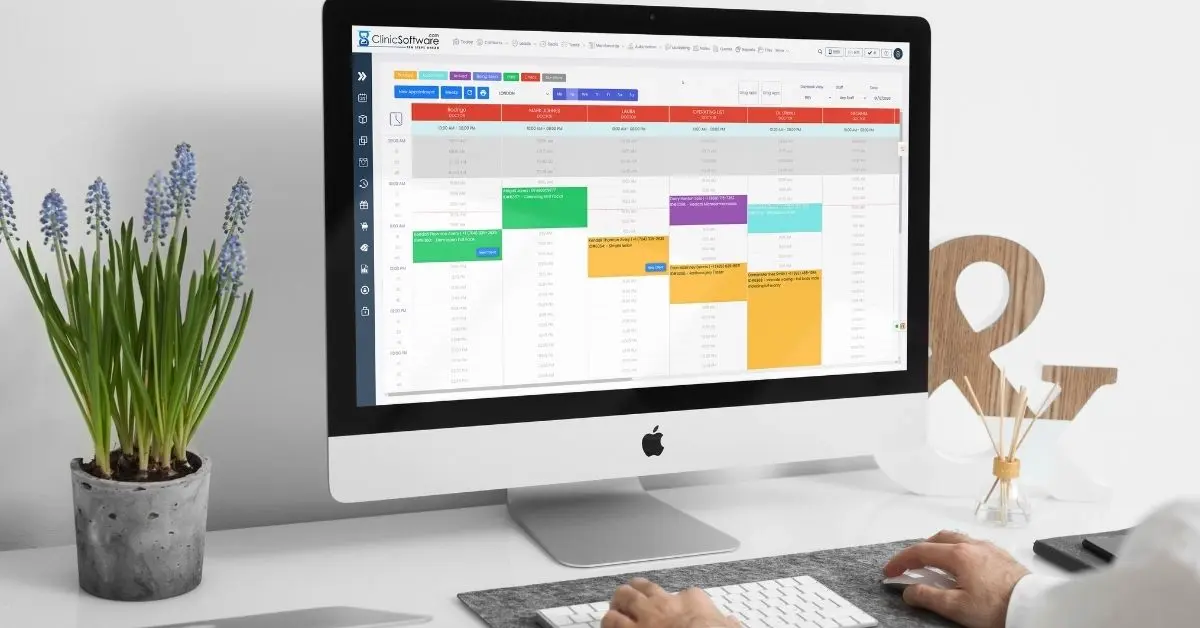
WHY ClinicSoftware.com?
Connect the dots
“Clinic Software®.com is a fully-comprehensive SaaS (Software as a Service) in cloud based created to help companies and appointment-based businesses of any industry and size such as Clinics, Spas and Salons with tools that helps to Grow Sales, Save Time & Get Organized.”
ASK YOUR QUESTIONS